
Download XuMouse – Free Mouse Utility for Windows, Secure & Lightweight Tool for Mouse Control
XuMouse is a lightweight, free software utility designed for Windows users who need precise and customizable mouse control. This tool allows you to simulate mouse movement, making it ideal for keeping your computer awake during long tasks or presentations. With a simple interface and minimal system impact, XuMouse is a reliable choice for anyone looking to automate mouse activity without installing heavy software. Originally released in 2011, the tool remains popular among users in the United States, Canada, and the United Kingdom, with over 47,000 downloads to date. Despite its age, XuMouse continues to function well on modern Windows systems, thanks to its efficient design and compatibility with older OS versions like Windows 95 and beyond.
Why Choose XuMouse for Your Mouse Automation Needs?
When it comes to maintaining system activity without manual input, few tools offer the simplicity and reliability of XuMouse. This free software utility is specifically crafted to simulate periodic mouse movements, which prevents your computer from entering sleep mode or locking the screen—perfect for long-running processes, remote access sessions, or uninterrupted presentations. Unlike heavier alternatives, XuMouse operates with minimal resource usage, consuming almost no CPU or memory, which makes it ideal for older machines or systems running multiple applications simultaneously. Its lightweight footprint ensures it runs smoothly in the background without interfering with your workflow.
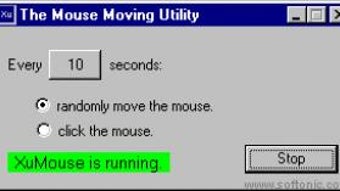
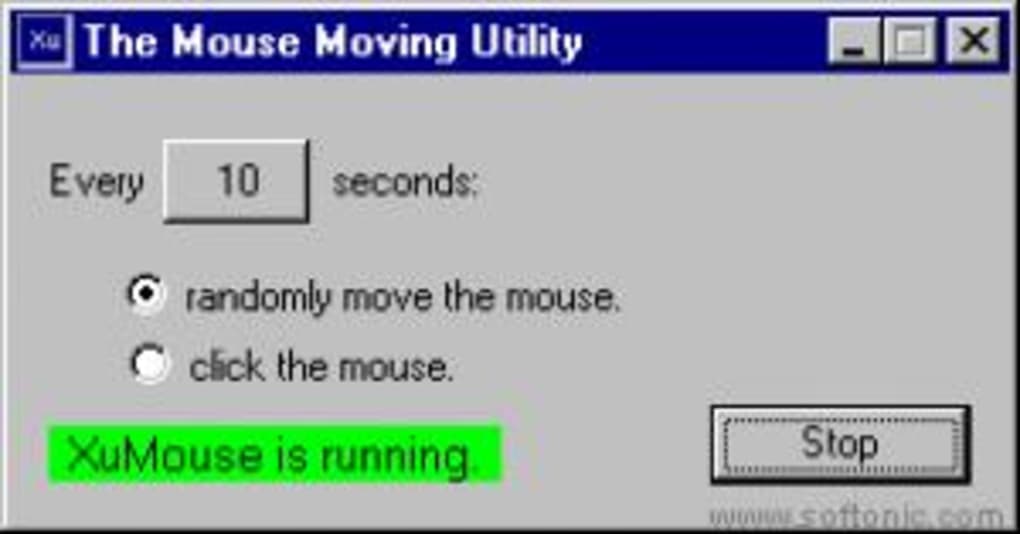
One of the standout features of XuMouse is its ease of use. The interface is clean and intuitive, requiring no technical expertise to operate. Once installed, you can start the program with a single click, and it begins simulating mouse movement at your chosen interval. The default settings are already optimized for most users, but advanced options allow you to customize the frequency and movement pattern. Whether you're using it to prevent screen timeouts or automate repetitive tasks, XuMouse delivers consistent performance with no lag or crashes.
Security is another major advantage. As a free tool from a trusted source, XuMouse has been downloaded over 47,000 times without reported malware or privacy issues. It doesn’t require admin rights to run, making it safe for use in corporate or school environments. Additionally, since it doesn’t collect user data, your privacy remains intact. For users seeking a secure, free, and dependable way to manage mouse activity on Windows, XuMouse stands out as a top choice in the software utilities category.
Key Features and How to Use XuMouse Effectively
XuMouse comes packed with essential features that make it a go-to tool for mouse automation. The primary function is the ability to simulate mouse movement at user-defined intervals—typically every 10 to 30 seconds, depending on your preference. This small, random movement is enough to trick the operating system into thinking the user is active, thereby preventing sleep mode, screen lock, or idle timeouts. The program runs silently in the system tray, so it doesn’t clutter your desktop or interfere with other apps.
Customization is a major highlight. Users can adjust the frequency of movement, the distance the cursor travels, and even choose between random or fixed movement patterns. This flexibility allows you to tailor the behavior to specific use cases—such as keeping a remote session active or running a long video stream without interruption. The tool also supports hotkey activation, so you can start or stop the simulation instantly without navigating through menus.
Installation is straightforward. Simply download the .exe file from the official website, run it, and follow the on-screen prompts. No complex setup is required.
Once installed, the program launches automatically at startup if desired. For those who prefer portability, the tool can also be run from a USB drive without installation. This makes it perfect for shared or restricted environments where you can’t install software.
With its minimal system requirements and compatibility with Windows 95 and later versions, XuMouse works seamlessly across a wide range of devices, including modern Windows 10 and 11 systems.
Compatibility, Installation, and System Requirements
XuMouse is designed to be highly compatible with various Windows operating systems. It supports Windows 95 and all subsequent versions, including Windows XP, Vista, 7, 8, 10, and 11. This broad compatibility ensures that even users on legacy systems can benefit from its functionality. Whether you're using an older laptop for presentations or a modern desktop for remote work, XuMouse adapts effortlessly to your setup.
System requirements are exceptionally low. The program requires only a few megabytes of disk space and minimal RAM, making it suitable for older hardware or devices with limited storage. It doesn’t need administrator privileges to run, which is a significant advantage in restricted environments such as schools, offices, or public computers. The installation process is quick and hassle-free—just download the installer, run it, and follow the simple steps. You can also use the portable version, which allows you to run the tool directly from a USB drive without leaving any traces on the host machine.
For users who want to automate their workflow, XuMouse integrates smoothly with other tools. It doesn’t conflict with antivirus software or firewalls, thanks to its lightweight and non-invasive design. The software updates infrequently, but the last update in 2011 remains stable and functional on current systems. This stability, combined with its low resource usage, makes it a reliable long-term solution for maintaining system activity without performance degradation.
Pros and Cons of Using XuMouse
- Pros:
- Free to download and use with no hidden costs
- Extremely lightweight with minimal system impact
- Compatible with Windows 95 and all modern versions
- Runs silently in the background without distractions
- Customizable movement intervals and patterns
- Portable version available for USB use
- Secure and trusted with no reported malware
- Cons:
- Last update was in 2011, so no recent feature enhancements
- Limited to Windows OS—no Mac, Android, or iOS support
- No built-in logging or advanced analytics
- Basic interface with no modern design elements
- Does not support multi-monitor setups in advanced modes
Frequently Asked Questions (FAQ)
Is XuMouse safe to download and use?
Yes, XuMouse is safe to download and use. It has been widely used since 2011 with over 47,000 installations and no reported malware or privacy breaches. The software runs without requiring admin rights and does not collect user data, making it a secure choice for personal and professional use.
Can I use XuMouse on Windows 10 or Windows 11?
Absolutely. Despite being last updated in 2011, XuMouse is fully compatible with Windows 10 and Windows 11. Its lightweight design ensures it runs smoothly on modern systems without conflicts or crashes.
Does XuMouse require installation?
No, XuMouse offers both an installer and a portable version. The portable version can be run directly from a USB drive without installation, making it ideal for temporary or restricted environments.
Can I customize the mouse movement?
Yes, you can customize the frequency of movement, the distance the cursor moves, and choose between random or fixed patterns. This allows you to tailor the behavior to your specific needs.
Is there a version for Mac or mobile devices?
No, XuMouse is currently only available for Windows. There are no official versions for Mac, Android, or iOS, though similar tools exist for those platforms.
Final Verdict: A Reliable Free Tool for Windows Users
If you're searching for a secure, lightweight, and free mouse utility for Windows, XuMouse is an excellent choice. Despite its age, the software remains functional, stable, and efficient across modern systems. Its ability to simulate mouse movement without consuming resources makes it perfect for preventing screen timeouts during long tasks. Whether you're presenting, streaming, or managing remote sessions, XuMouse delivers consistent performance with minimal setup.
While it lacks modern design and recent updates, its core functionality remains unmatched in the free software utilities space. For users who value simplicity, reliability, and privacy, XuMouse is a must-have tool. Download it today and keep your computer active—without the hassle.
Download XuMouse now and enjoy a free, secure, and lightweight solution for automatic mouse control on Windows.







